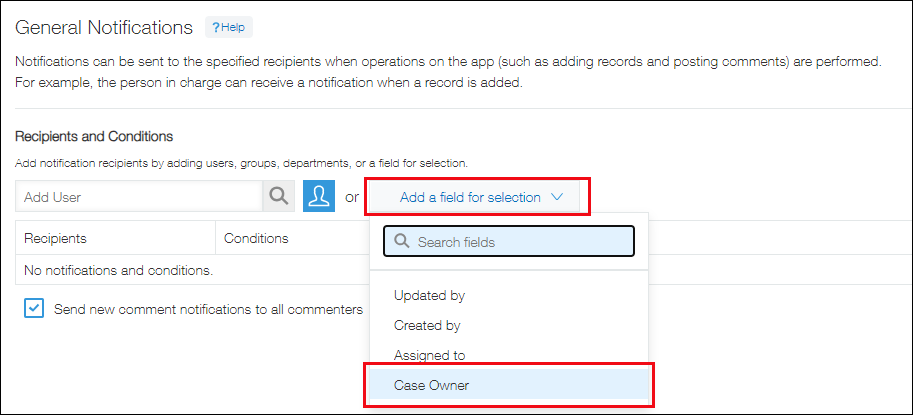
Tips: Notification recipients selectable from the "Add a field for selection" drop-down menu
In the notification settings of an app, you can select a field you want to specify as a notification recipient from Add a field for selection.
The fields that can be selected from Add a field for selection are described below.
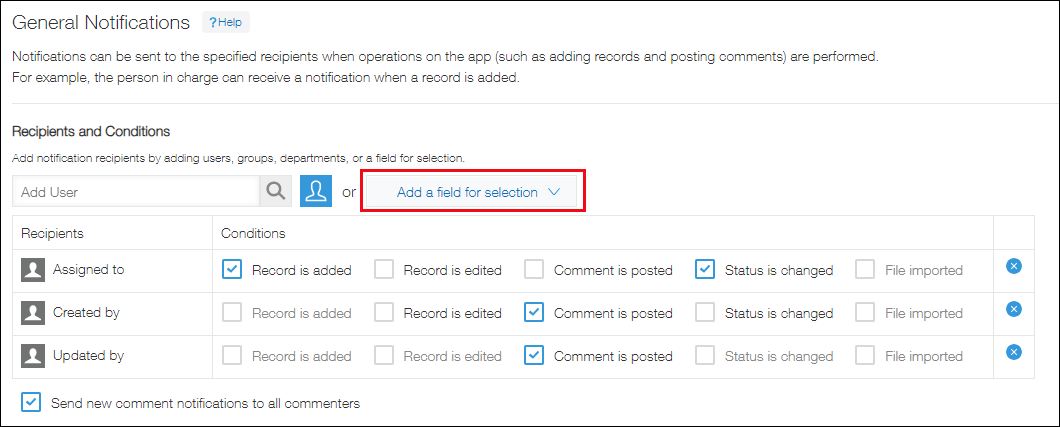
Specifying the "Created by," "Updated by," or "Assignee" user as a notification recipient
From Add a field for selection, you can specify the user who created the record, the user who last updated the record, or the current assignee of the record as a notification recipient.
For details, see below.
- Created by: The user who created the record.
- Updated by: The user who last updated the record.
- Assignee: The user who is assigned in the current process management status.
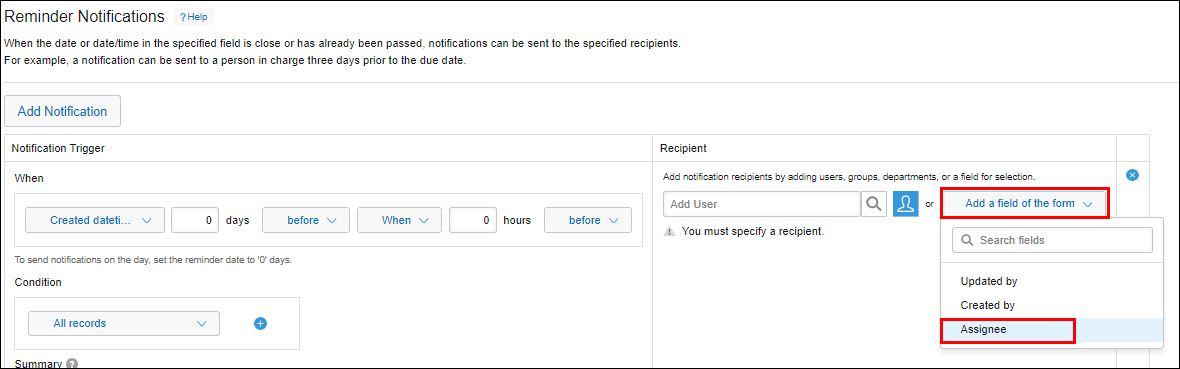
Example: Specifying the assignee as the recipient of reminder notifications
Select Assignee from Add a field for selection.
Specifying a "User selection", "Department selection", or "Group selection" field as a notification recipient
You can specify fields placed on an app form from Add a field for selection.
When you specify a field as a notification recipient, the users or departments selected for that field in each record will receive notifications.
The following fields can be specified.
- "User selection" fields
- "Department selection" fields
- "Group selection" fields
If a "Department selection" field is specified, a checkbox for Include affiliated departments will be displayed under the field name.
If this checkbox is selected, notifications will also be sent to affiliated departments of the department selected in the field.
Example: Configuring the General notifications settings so that users selected in the "Case Owner" field (a "User selection" field) will receive notifications
Select the "Case Owner" field from Add a field for selection.