
Guest action: Edit profile
Guests can edit the following items from their profile.
- Profile Picture
- Display name
- Company
- Division
- Phone
- Skype Name
-
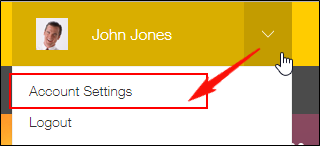
Click the Account Menu icon (the down arrow) at the top right of Kintone, then click Account Settings.
-
Edit the required items.
-
Click Save.